Network Issue: Causes, Types and Easy Solutions


Network Issue: Causes, Types, and Easy Solutions
A network issue occurs when devices cannot properly connect to the internet or communicate with each other. In today’s digital world, networks are essential for browsing the web, sending emails, streaming videos, and using online services. When a network problem occurs, it can slow down work and interrupt daily activities. Understanding the causes and solutions of network issues can help users quickly fix problems and restore connectivity.
What is a Network Issue?
A network issue refers to any problem that prevents a device (computer, smartphone or tablet) from connecting to the internet or local network. These problems can occur due to hardware faults, software errors, or configuration issues.
Common Types of Network Issues
1. Slow Internet Speed :- Slow internet is one of the most common problems. Websites load slowly, videos buffer frequently, and downloads take a long time.
Possible Causes:
- Weak Wi-Fi signal
- Too many devices connected
- Internet service provider (ISP) issues
2. No Internet Connection :- Sometimes the device connects to Wi-Fi but shows “No Internet Access.”
Possible Causes:
- Router malfunction
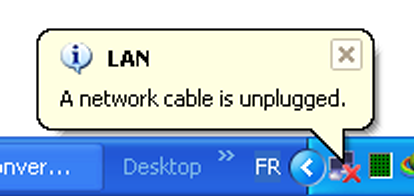
- Cable disconnection
- ISP outage
3. DNS Server Problem :- DNS errors occur when the network cannot translate website names into IP addresses.
Common Error Messages:
- DNS server not responding
- Server IP address could not be found
4. IP Address Conflict :- An IP conflict happens when two devices on the same network are assigned the same IP address, causing connectivity problems.
5. Wi-Fi Signal Problemu :- Weak or unstable Wi-Fi signals can cause frequent disconnections.
Reasons include:
- Long distance from router
- Physical obstacles like walls
- Interference from other devices
How to Fix Network Issues
- Restart the Router :- Turn off the router for about 30 seconds and then turn it on again. This often fixes temporary network glitches.
- Check Cables and Connections :- Make sure Ethernet cables and power cables are properly connected.
- Restart Your Device :- Restarting your computer or smartphone can refresh network settings.
- Reset Network Settings :- Resetting network settings removes incorrect configurations and reconnects to the network.
- Contact Your Internet Provider :- If the issue continues, there may be a problem with your ISP.
Tips to Prevent Network Issues
- Keep your router updated with the latest firmware.
- Place the router in a central location in your home.
- Use strong Wi-Fi passwords to prevent unauthorized access.
- Limit the number of connected devices if the network becomes slow.
Conclusion
Network issues are common but usually easy to fix. By understanding the causes such as slow internet, DNS errors, or weak Wi-Fi signals you can quickly identify and solve most problems. Regular maintenance of your router and network settings can also help prevent future connectivity issues.


टिप्पणियाँ
एक टिप्पणी भेजें